Making Cool CSS Art
Thursday, July 11, 2024
Making Cool CSS Art
CSS (Cascading Style Sheets) is a powerful tool that goes beyond just laying out content and managing typography. It has the potential to create stunning visual artwork directly in the browser. From simple shapes to more complex designs, CSS allows you to transform a blank page into a work of art without needing external images or graphics software. In this article, we’ll explore how to create eye-catching CSS art while focusing on creativity, principles, and techniques rather than code.
What is CSS Art?
CSS art refers to creating visual designs using only CSS and HTML. These artworks typically rely on properties like border-radius, box-shadow, transform, and gradient to craft everything from basic shapes to intricate illustrations. With CSS art, you can generate complex visuals purely through styling, with no images or heavy graphics needed.
The Power of Simple Shapes
At the core of most CSS art are simple geometric shapes, like circles, squares, and triangles. By combining and manipulating these basic elements, you can build more complex structures. For example, circles made using border-radius or using box-shadow to add depth to flat designs can be the foundation of many artistic creations.
Creating Depth and Texture
To make your designs feel more dynamic and lifelike, you can add depth using shadows and gradients. Shadows give the illusion of 3D space, while gradients allow for smooth transitions of color, enhancing the overall aesthetic. These techniques can simulate lighting effects and make your creations stand out.
Layering and Composition
One of the most important principles in CSS art is the use of layering. By stacking multiple elements on top of one another, you can create intricate designs. For example, in a simple flower design, each petal can be a separate element positioned around a central point. By using relative positioning and rotating the petals, you can create a beautiful and symmetrical composition.
Adding Animation
To take your CSS art a step further, you can animate your designs. Animations breathe life into static images, adding movement and interaction. For instance, rotating shapes, changing colors, or adding subtle movements can turn a static shape into a dynamic piece of art. The use of CSS animations, such as @keyframes, enables you to define smooth transitions and create interactive effects for the user.
Creative Possibilities with CSS Art
Once you're comfortable with basic shapes, layering, and animations, the possibilities for CSS art are endless. You can create everything from simple icons and logos to detailed illustrations like animals, landscapes, or abstract designs. The best part is that you don't need external image files, and the performance is often superior since CSS art is rendered directly by the browser.
Tips for CSS Art Creation
- Start with Simple Shapes: Begin by experimenting with circles, squares, and triangles. These form the foundation for more complex designs.
- Focus on Positioning: Use position, z-index, and transform to layer your elements effectively and create depth.
- Play with Shadows and Gradients: These add realism and texture to your design, making it more visually appealing.
- Use Animations Wisely: Animations can make your artwork more dynamic. Start with small, subtle animations and build complexity as you get more comfortable.
- Be Creative with Interactivity: Combine hover effects and transitions to create interactive experiences for users.
- Keep It Simple: Overcomplicating your design can result in a messy or cluttered look. Focus on clean, minimalist designs.
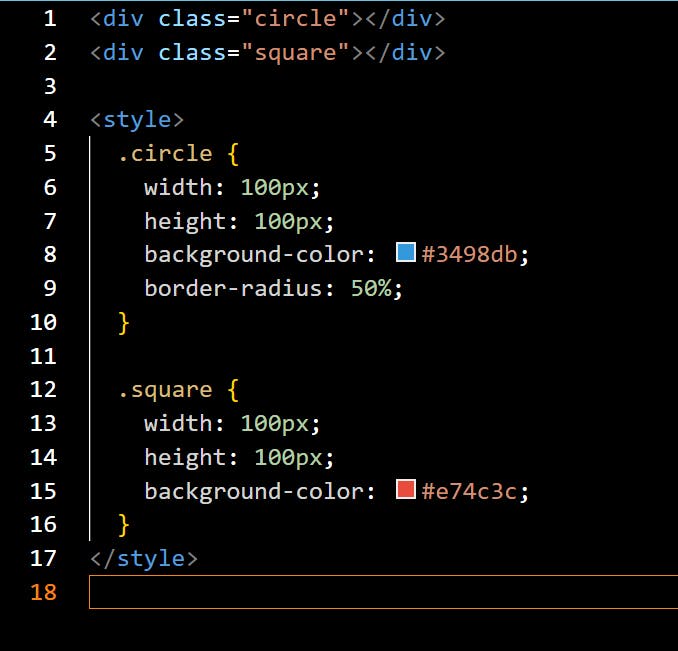
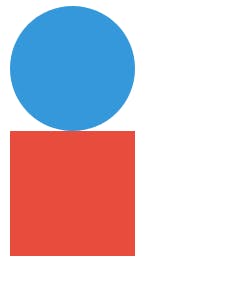
In this example, the circle is made by giving the div a border-radius of 50%, transforming the square shape into a circle. The square is simply a block element with equal width and height.
Adding Depth with Shadows
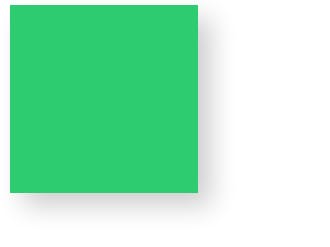
Adding shadows is an effective way to give depth and dimension to your art. Using the box-shadow property, you can simulate lighting effects that make the shapes look three-dimensional.
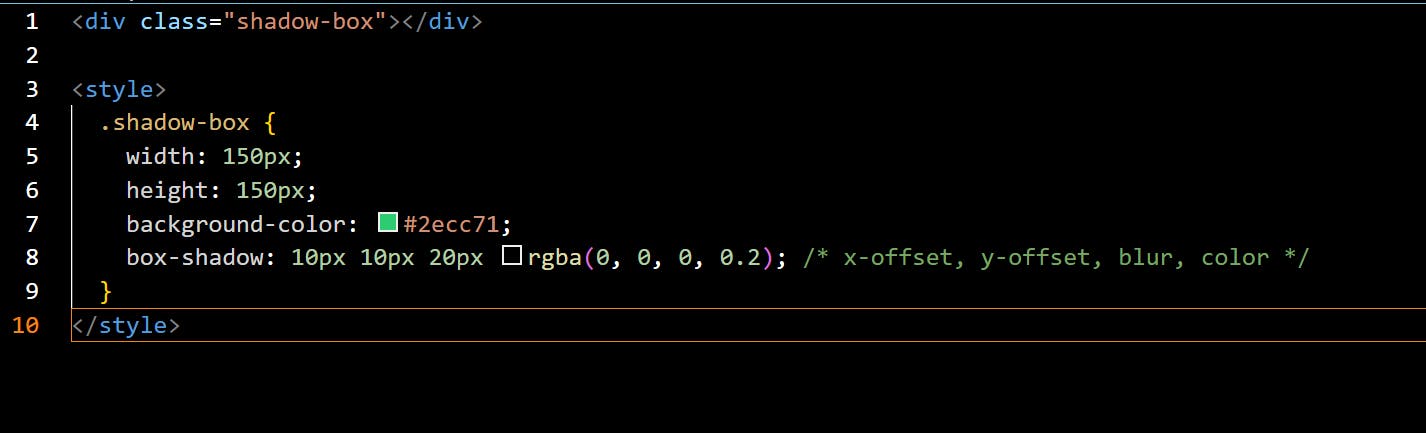
In this case, the box-shadow property adds a shadow that offsets from the element, creating a sense of depth. By adjusting the shadow's spread, blur, and color, you can control how intense the effect is.
Animating Your Art
CSS animations can bring your designs to life. Let’s make the flower rotate continuously.
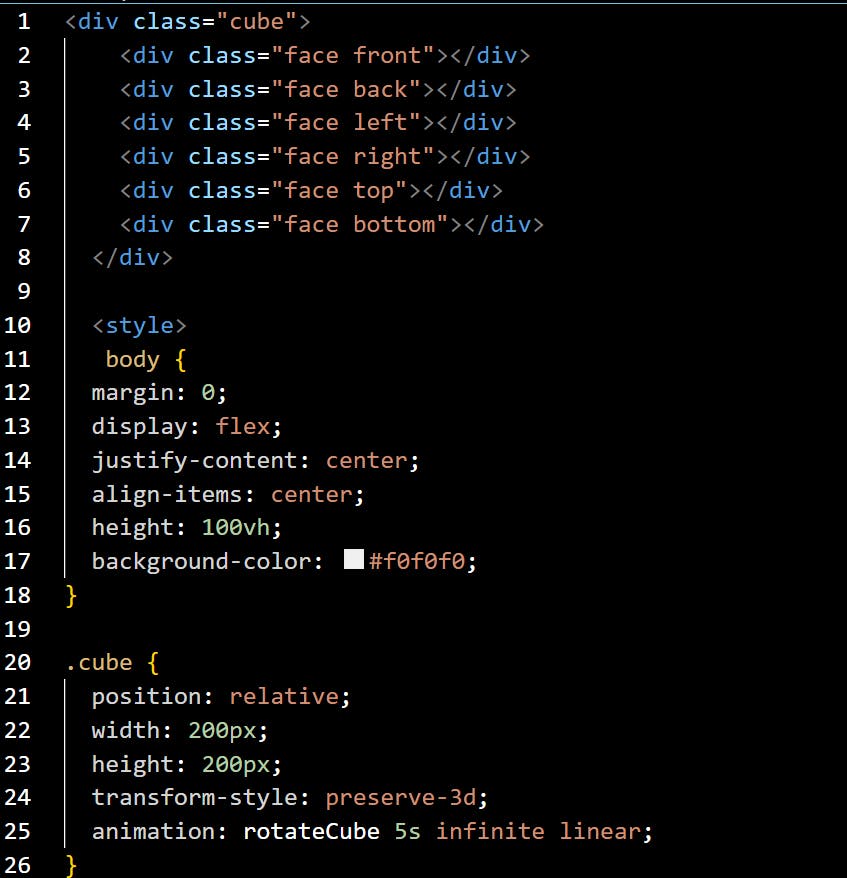
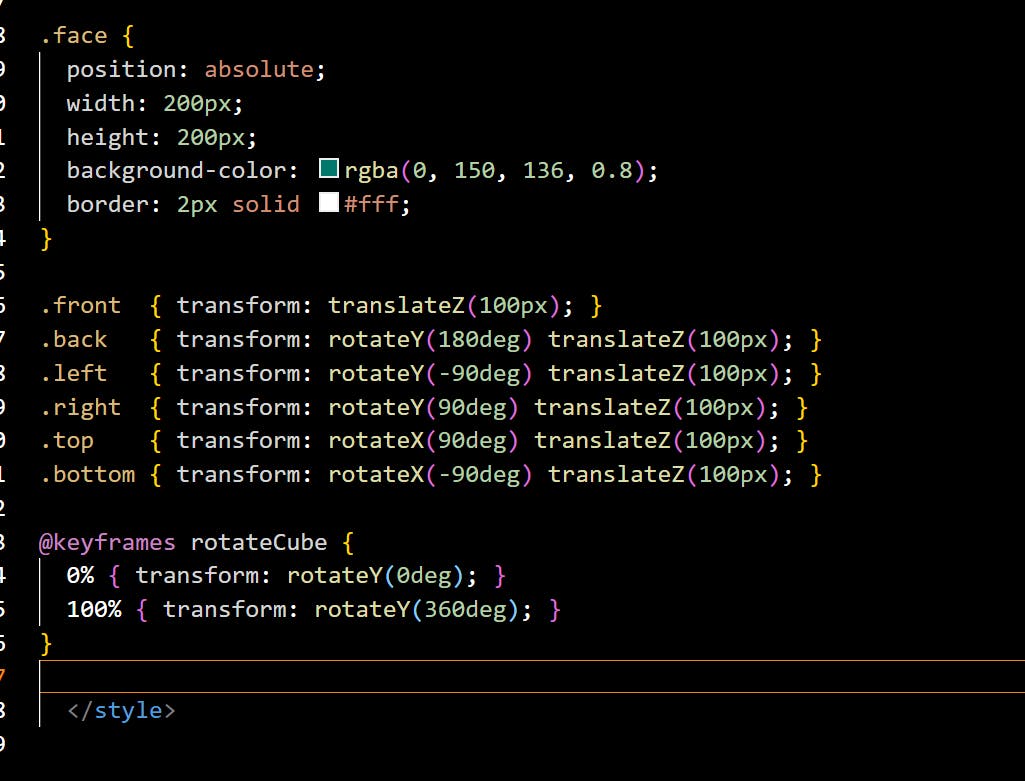
Here’s the code to create a cool rotating 3D cube using pure CSS. The cube will continuously rotate on its axis, giving it a 3D effect.
Conclusion
CSS art is an exciting way to explore creativity through code. With just HTML and CSS, you can create visually stunning designs that bring life to web pages. By mastering simple shapes, layering techniques, and animations, you can produce complex and beautiful artwork without the need for images or external libraries. Whether you're looking to spice up a website or create unique visual elements, CSS art offers a fun and powerful way to express your creativity directly in the browser.
Here are some inspiring examples of CSS art that demonstrate the possibilities:
- Geometric Patterns – Combining simple shapes and gradients can result in mesmerizing patterns and designs.
- Illustrations – Complex illustrations like animals or objects can be built using just CSS.
- Interactive Elements – Animating a button or logo with CSS can add interactivity and visual appeal to a webpage.
CSS art is a playful and rewarding challenge for any web designer or developer. The more you practice, the more complex and beautiful your creations can become.